

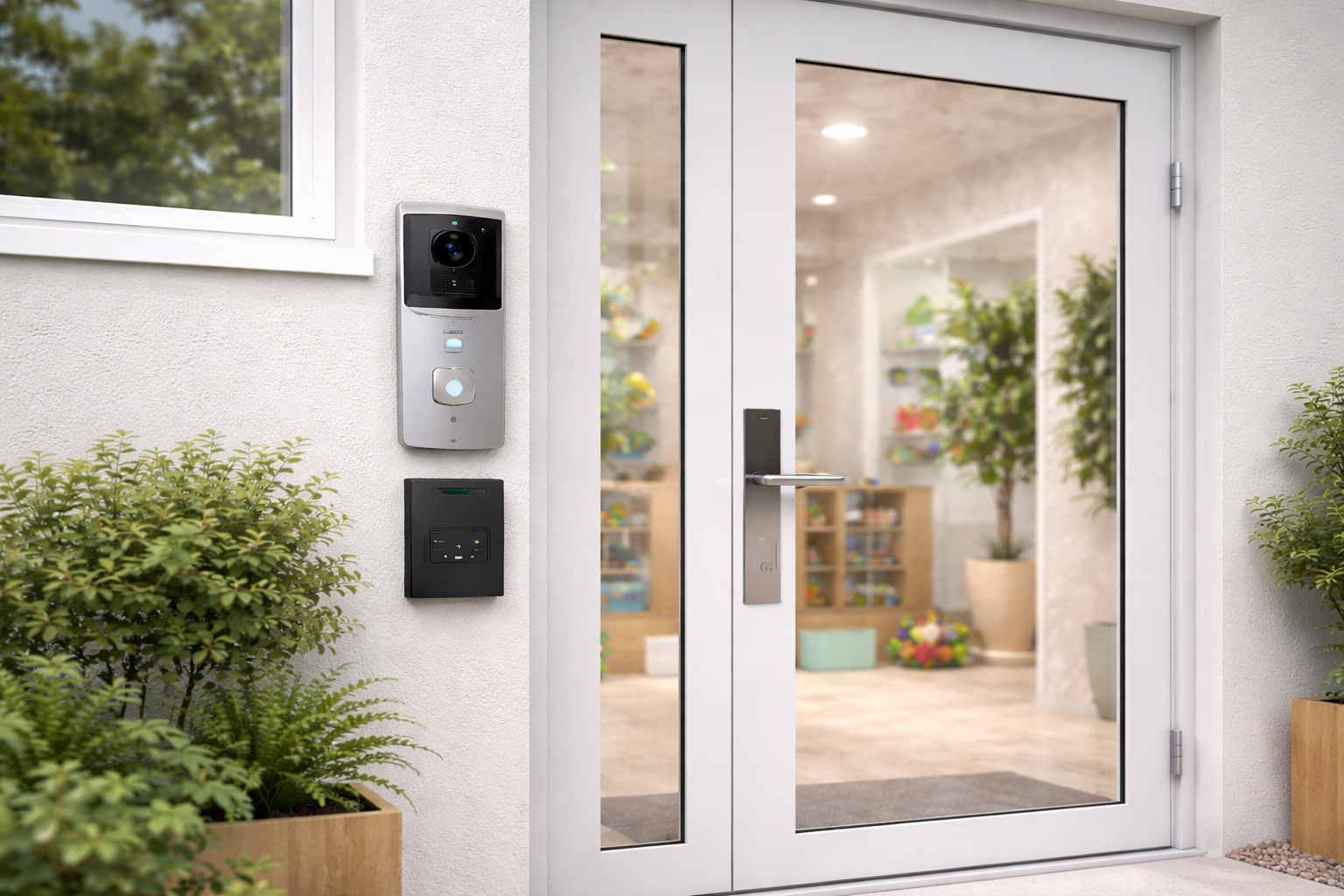

Daycare & Learning Centre Focused Security
Daycares carry a heavy responsibility: protecting children while maintaining a welcoming environment for families. Parents expect airtight security, while staff need systems that don’t hinder their ability to supervise children.
A “best-in-class” daycare security setup isn’t just about locks; it’s about creating a managed flow that balances safety, accessibility, and legal compliance.
Key Takeaways for Daycare Operators
- Visual Verification is Mandatory: Audio intercoms can be a liability in childcare; video is the preferred way to verify identity accurately.
- Integrated Fire Safety: All electronic locks must be “Fail-Safe” and integrated with the fire alarm system to ensure emergency egress.
- Authorized Pickup Protocols: Security systems should support—not replace—your registry of who is legally allowed to pick up each child.
- Automation for Accessibility: Door operators (automatic openers) are essential for parents carrying strollers, car seats, or multiple children.
[Visual Placeholder: Image of a staff member using a wall-mounted tablet to view a high-definition video feed of a parent at the front door]
1. Controlled Entry: The “Always Locked” Standard
The main entrance of a daycare should remain locked 100% of the time. There should be no “open door” periods during drop-off or pick-up, as these are the times when the building is most vulnerable to unauthorized entry.
Best Practices:
- Electronic Strikes or Mag-Locks: These keep the door physically secure while allowing for electronic release via intercom or card reader.
- Anti-Tailgating Measures: Use door closers with adjustable speeds to ensure the door latches quickly after every entry.
2. Video Intercoms: Verifying the “Authorized Pickup”
In a daycare setting, a video intercom is the most important piece of hardware. It allows staff to perform a “visual handshake” before the door is ever unlocked.
Critical Features for Daycares:
- Mobile App Integration: Staff can verify visitors from a tablet or smartphone without leaving the classroom or losing “eyes-on” supervision of the children.
- High-Definition Night Vision: Essential for early winter mornings or late winter afternoon pickups.
- Snapshot History: Modern systems take a photo of every person who “buzzes” the door, creating a digital log of every visitor for your records.
3. Access Control: Managing Staff and Frequent Visitors
Shared physical keys are a security risk. If a staff member leaves, you shouldn’t have to re-key the entire building.
Recommended Solutions:
- Individual Fobs/Mobile Credentials: Every teacher and administrator should have their own unique access.
- Time-Restricted Access: You can program fobs to only work during shift hours, preventing unauthorized entry late at night or on weekends.
- Immediate Revocation: If a staff member is terminated, their access can be deleted from the cloud dashboard instantly.
4. Life Safety: Fire Alarm Integration (Crucial Detail)
This is a legal requirement. Any door that is locked electronically must be integrated with the building’s fire alarm system.
- Fail-Safe Operation: If the fire alarm is triggered, power to the electronic locks must cut out automatically, allowing the doors to be pushed open from the inside for immediate evacuation.
- Request-to-Exit (REX) Sensors: These detect when someone is leaving the building and release the lock automatically, ensuring no one is “trapped” inside.
5. Door Operators: Safety Through Accessibility
Daycare parents are often “hands-full”—carrying infants, diaper bags, or strollers.
- The Benefit: When a staff member releases the lock via the intercom, an automatic door operator can swing the door open for the parent.
- The Safety Factor: This prevents parents from propping doors open with rugs or bricks during busy times, which is a major security breach.
6. Interior Zoning & Panic Buttons
Security shouldn’t stop at the front door.
- Interior Zoning: Keep sensitive areas like the kitchen (burn hazards), medicine storage, and administrative offices locked with simple keypad or fob access.
- Panic Buttons: Install silent panic buttons at the front desk and in main classrooms. If an aggressive visitor or an emergency occurs, staff can trigger a silent alert to a monitoring station or local law enforcement.
7. Cameras as Documentation, Not Prevention
While cameras don’t stop an intruder, they provide the documentation required by insurance companies and licensing boards.
- Entry/Exit Coverage: Ensure high-quality cameras are aimed at head height at every entrance.
- Classroom Monitoring: Many modern daycares use cameras to provide parents with peace of mind, but these must be on a highly secure, encrypted network to protect the children’s privacy.
📝 Daycare Security Checklist
| Feature | Requirement | Why it Matters |
| Video Intercom | HD Video + App Access | Verify authorized pickup without leaving kids. |
| Electronic Locks | Fail-Safe + Fire Integration | Ensures safety during an evacuation. |
| Door Operators | Automatic Openers | Prevents “propped doors” during busy hours. |
| Access Logs | Cloud-based | Tracks exactly who entered and when. |
| Interior Locks | Fob/Code on offices | Keeps children out of hazardous areas. |
Our Recommendation
The best daycare security setup is a layered approach. By combining a video intercom for visitor management, access control for staff, and door automation for parents, you create a facility that is both a fortress for safety and a model of efficiency for families.
If you are looking to upgrade your daycare’s security to meet licensing requirements or improve parent peace of mind, we can help. We’ll review your layout and provide a plan that prioritizes the safety of the children in your care.
